

There’s a reason Shopify skills are in such high demand. Businesses rely on it. Brands scale with it. And the people who know how to operate it—really operate it—often find themselves landing roles that pay far better than typical admin, retail, or junior digital-staff positions. A strong Shopify store manager is valuable, and companies know it.
Whether you’re upskilling for a new career path or you’ve been thrown to the wolves as your company’s newly crowned in-house “Shopify guru,” there’s a very real opportunity here. With the right foundation, you can go from zero experience to someone who commands respect—and solid earnings—in the ecommerce world.
These three steps will help you get from zero to “I actually know what I’m doing.”

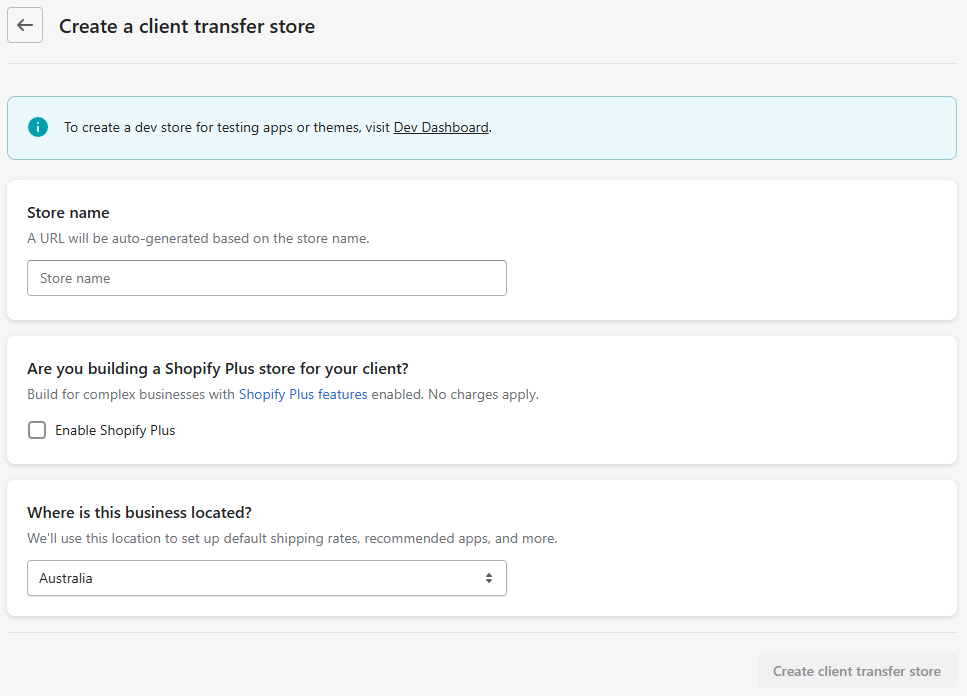
1. Set Up a Development Store
This is your playground. No pressure, no clients, no real customers—just a safe space to break things, fix things, and explore everything inside Shopify.
Through the Shopify Partner Dashboard, create a new client transfer store and jump straight into the admin. You’ll see how orders, pages, collections, and settings all connect. It’s the closest thing to driving a car in an empty parking lot before hitting real roads.
2. Upload Dummy Products
A store without products is like a house without furniture—you can walk through the rooms, but you don’t really understand how they feel.
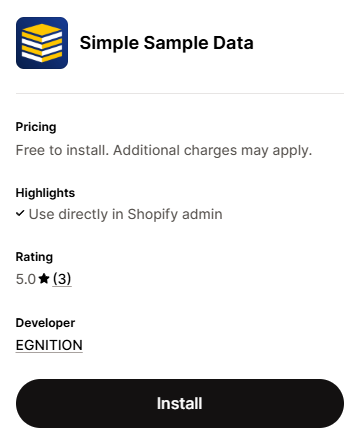
Use a dummy product generator app or have AI create a CSV for you. Add multiple products, collections, images, variants—anything that lets you see how a real store behaves.
Once the store has items to display, the whole dashboard begins to make sense. Inventory tables stop feeling abstract. Product settings click. Merchants’ workflows feel more real.
3. Customise the Theme
This is the moment everything comes together.
Open the Online Store Editor and start tinkering with the homepage, product page, and collection page.
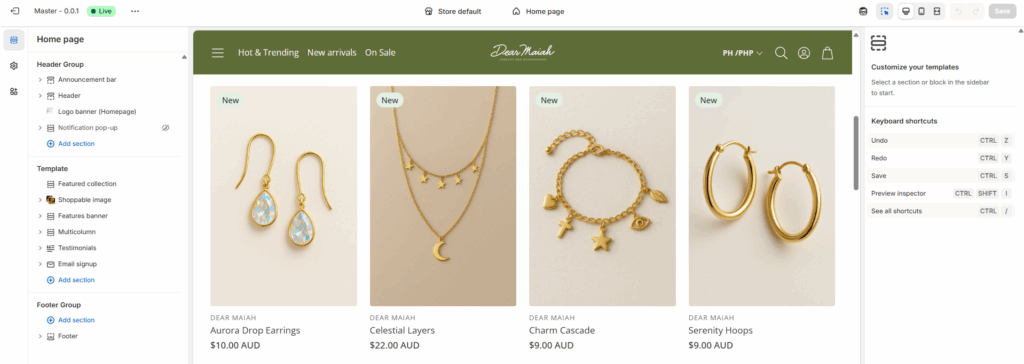
Change layouts, test sections, edit settings, try different images, and explore how content shows up on the front end. Each tweak teaches you how Shopify themes think—because themes aren’t just design; they’re structure, rules, and logic.
“Shopify isn’t a single tool—it’s an ecosystem.”
Read: The Top 5 Things You Need to Know to Be a Shopify Expert
By the time you finish these three steps, the Shopify platform won’t feel intimidating anymore. You’ll understand how information moves from the admin to the storefront, and you’ll have enough confidence to explore deeper skills like Liquid, theme development, and app-based workflows.
This is your first foundation. The rest builds from here.